
Vibe Coding:
how AI is transforming software development
In recent months, generative artificial intelligence has begun playing an active role in software development. We’re no longer talking about basic chatbots or text-based assistants: today’s tools are intelligent agents, capable of executing complex tasks, interacting with their environment, and actively contributing to the construction of an application.
This is the context in which the concept of vibe coding emerges — a new paradigm that blends code, natural language, and AI into a seamless operational flow. The developer is no longer just using a tool: they engage in a dialogue with a system, guiding it and being guided in return, shifting their focus from syntax to application logic.
From chat to agents: the evolutionary leap
Interacting with LLMs began as a purely textual experience, based on simple prompts and responses. The real shift, however, came with the transition to agent-based systems — AI models equipped with state, working memory, and the ability to use external tools.
These agents do more than reply. They reason about context, retrieve distributed information, perform structured tasks, and navigate even large and complex codebases. This turning point gave rise to vibe coding: a collaborative workflow between developer and AI, increasingly immersive and productive.

Cursor
Cursor is an advanced IDE based on Visual Studio Code, designed to work in close synergy with large language models (LLMs). Its structure retains the familiarity of VSC, but adds a series of features specifically built to unlock the full potential of artificial intelligence in development workflows.
Features
The integrated chat offers three distinct modes of interaction:
- Ask: for brainstorming, suggestions, and generating development tasks.
- Agent: ideal for exploring the codebase, understanding data flows, architectures, and solving complex issues.
- Edit: focused on precise edits to clearly defined sections of code.
Cursor introduces Cursor Rules, a configurable system of guidelines that shape how the AI agent behaves. These rules can be set globally or per project. Examples include:
- apply only the minimal necessary changes;
- keep files small and focused (e.g., under 200 lines);
- use consistent, self-explanatory naming conventions.
The context of the conversation can be enriched with custom notes, code snippets, documentation fragments, or linked files. Each interaction is automatically saved as a checkpoint, making it easy to revert to previous project states if needed.
Cursor also allows developers to configure their preferred LLMs, including support for custom models through API keys.
Cursor and MCPs: what are they?
MCPs – Model Context Protocols are a framework that enables structured interaction between LLMs and their operating environment. They allow a model to access files, APIs, datasets, and project configurations in a controlled and context-aware manner. Essentially, it’s like giving the AI an interface to "navigate" the project space intelligently.
Cursor is one of the few tools that natively supports MCPs, allowing developers to significantly extend the agent’s capabilities through both public and custom configurations.
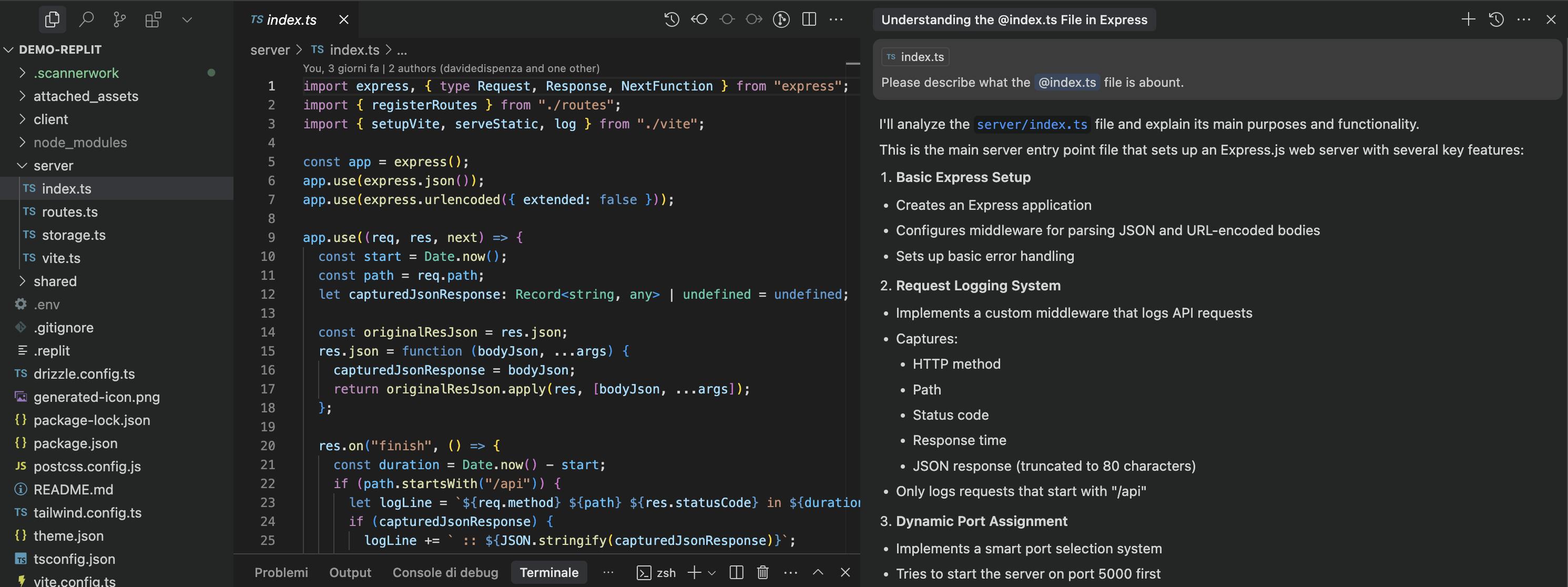
Chat: file reference and explanation request
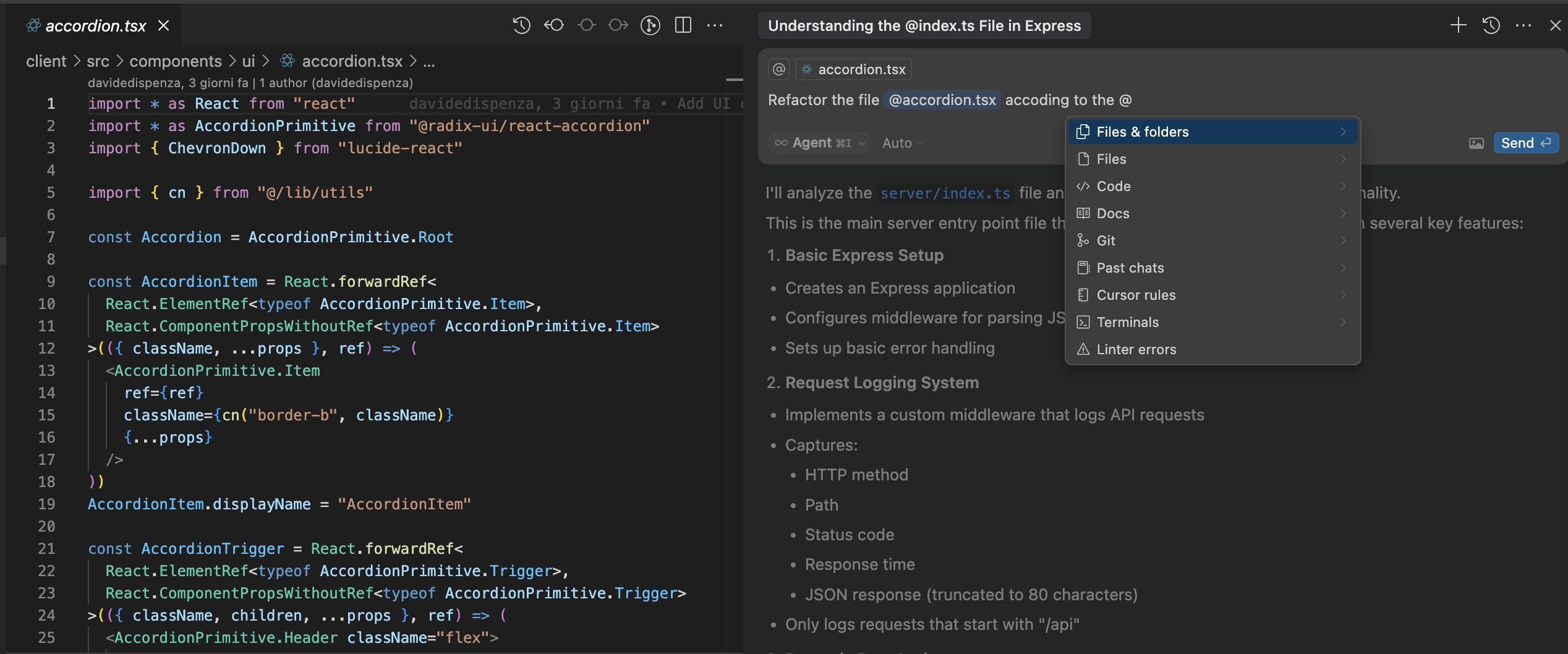
Chat: citation options
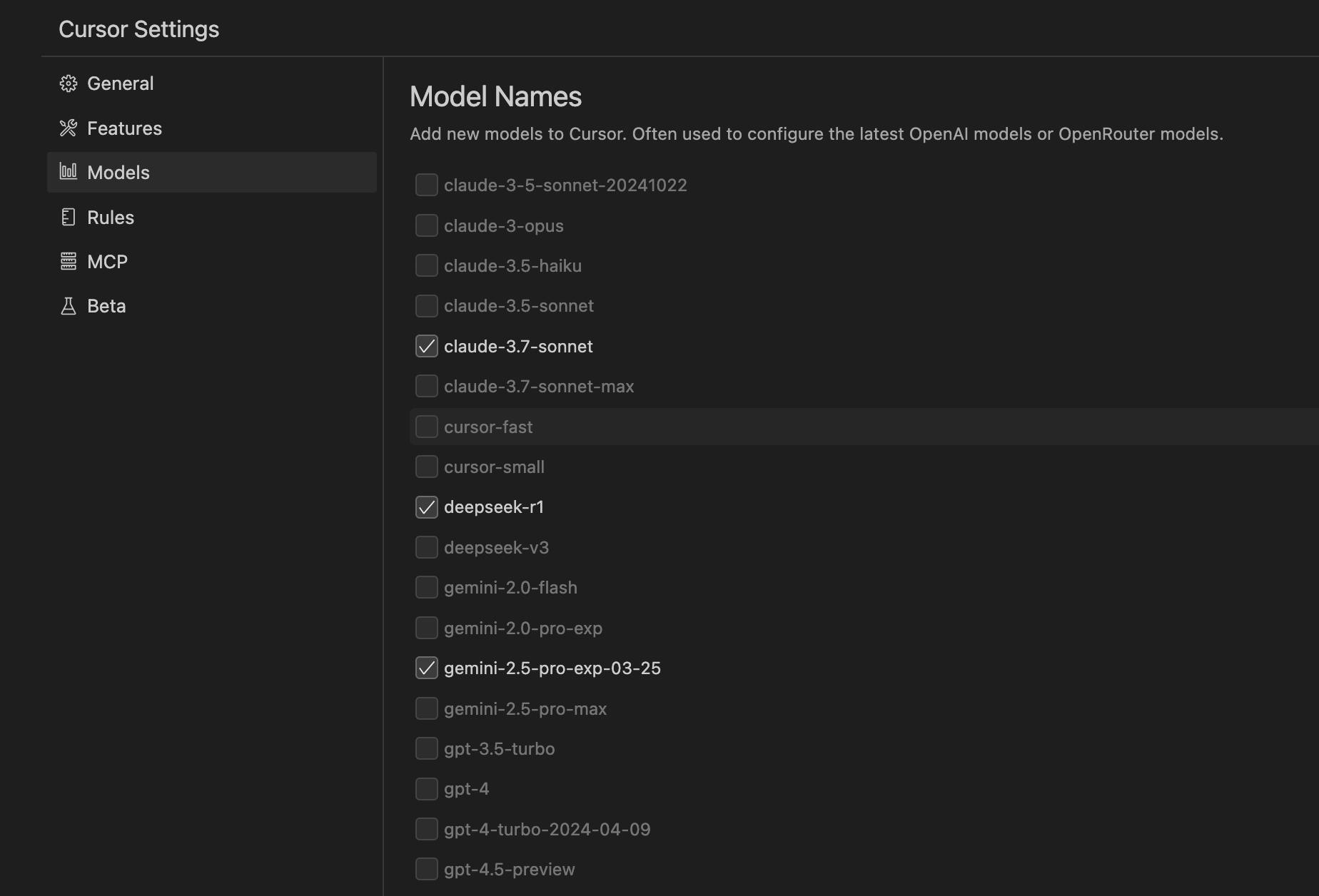
Settings: models
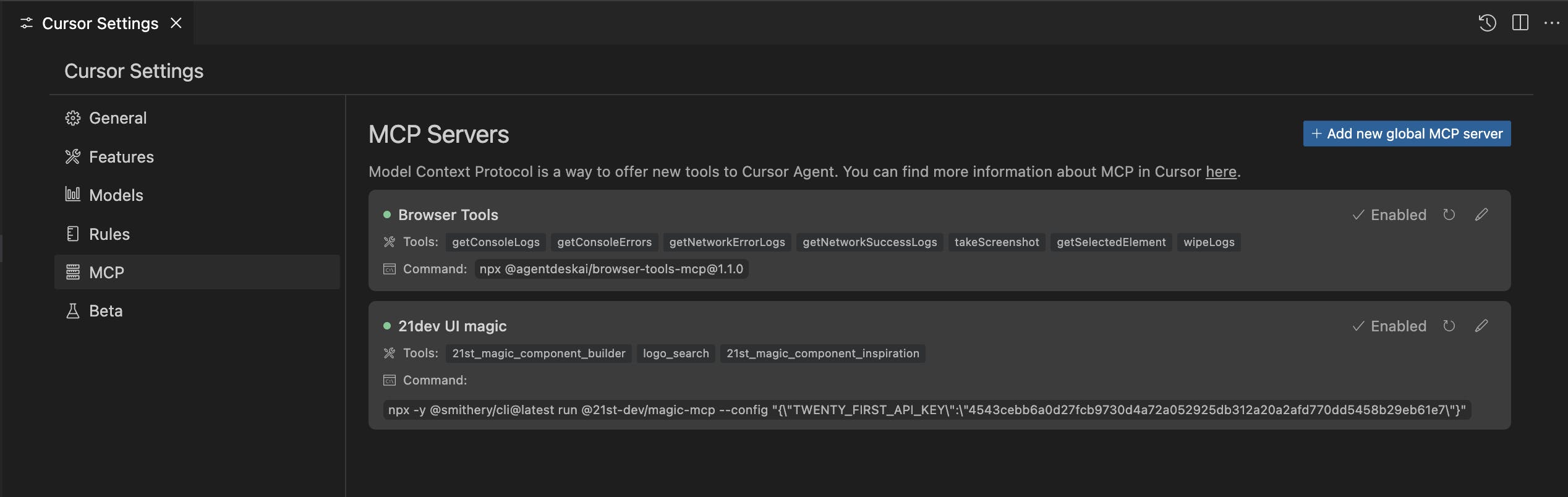
Settings: MCP
Experience
Cursor offers an assisted yet controlled development experience, where the AI agent not only provides suggestions but actively contributes to both the construction and maintenance of the code. The integration of external tools such as Wisprflow further enhances this interaction, making the overall workflow extremely smooth and goal-oriented.
Advantages
- Familiar interface for developers coming from VSC
- Fast integration of newly released language models
- MCP support for advanced contextual interaction
- Precise version control through automatic checkpoints
Disadvantages
- The free version is limited for continuous, full-time use
- Requires a stable and persistent internet connection
- Potential privacy concerns due to reliance on external servers (as with Copilot or ChatGPT)

Replit
Replit is a fully featured development platform accessible directly from the browser. It combines in a single environment all the tools needed for writing code, collaborating, debugging, and deploying — making end-to-end development available anywhere.
Features
Replit provides an intelligent code editor that assists developers with AI-powered suggestions, autocompletion, debugging, and refactoring. The development environment is generated automatically, including all necessary dependencies and packages.
Key features include:
- Built-in AI assistant for every supported programming language
- Instant cloud deployment on a Replit subdomain
- Agent-generated checkpoints to save key stages of the development process
- Real-time multi-user collaboration (up to 50 participants)
- Integration with GitHub, SSH access, and version control systems
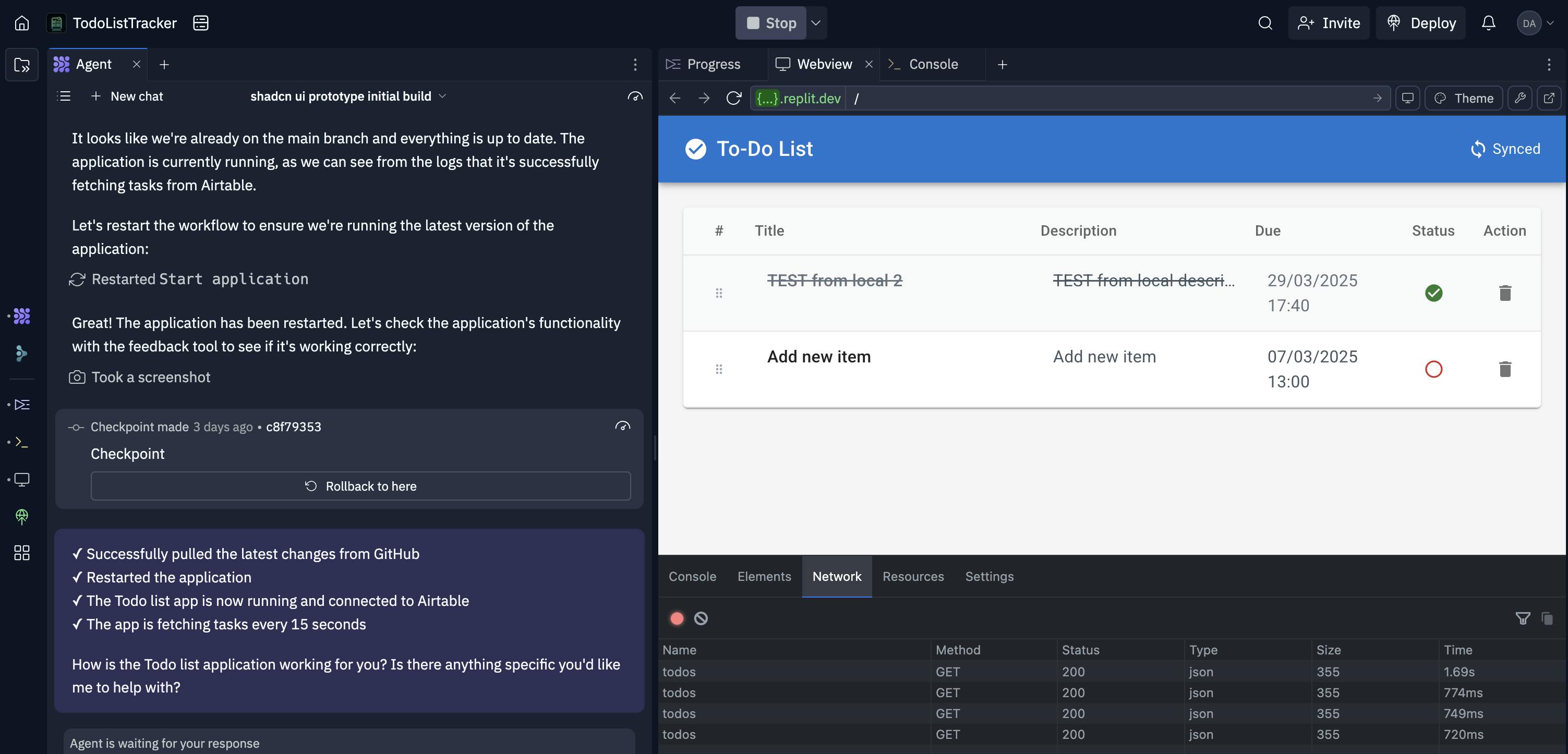
A practical example: we created a TODO app connected to Airtable without writing any code, simply by interacting with Replit's AI agent.
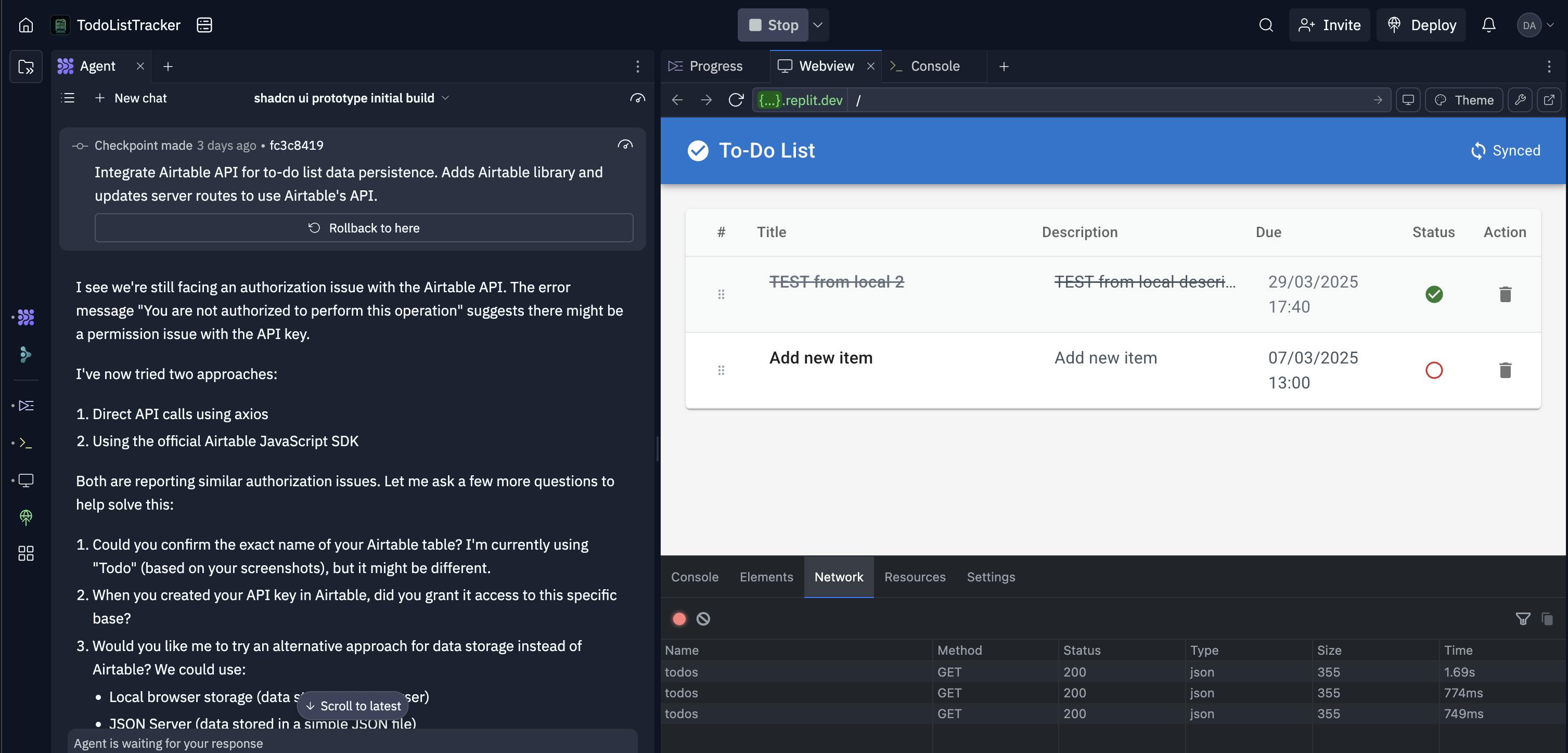
The agent automatically generates checkpoints.
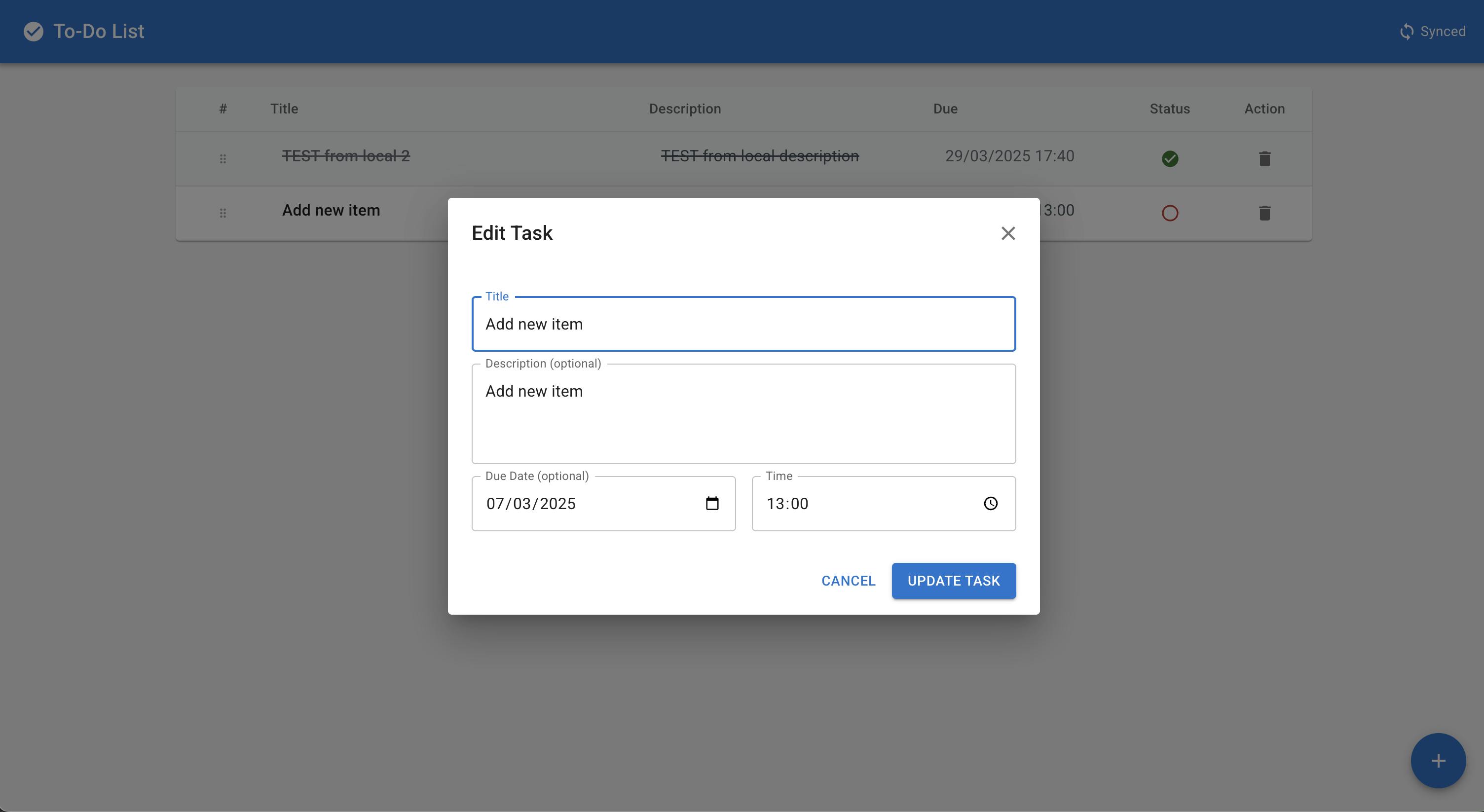
The web app is immediately available on a Replit subdomain, but can also be linked to a custom domain.
Advantages
- No installation or configuration required
- Accessible even to users with limited technical skills
- Ideal for quick projects, MVPs, and demos
- Excellent interoperability with other tools
Disadvantages
- Limited resources in the free version
- Fully cloud-based: reliant on network and Replit’s infrastructure
- Privacy and performance should be evaluated on a case-by-case basis

Lovable
Lovable is an AI-powered platform for generating full-stack web applications. Designed to be accessible even to users with no programming experience, it enables the creation of websites and apps from simple natural language descriptions.
Features
Lovable processes the prompt and generates the application structure, user interface, backend logic, and data persistence. It also includes a visual editor for adjusting UI components, customizing styles, and integrating external services.
Key features include:
- Application generation from natural language
- Instant hosting with custom domain support
- User authentication via Clerk
- Data persistence through Supabase
- Integration with Stripe and Figma
- Visual editor for React UI components
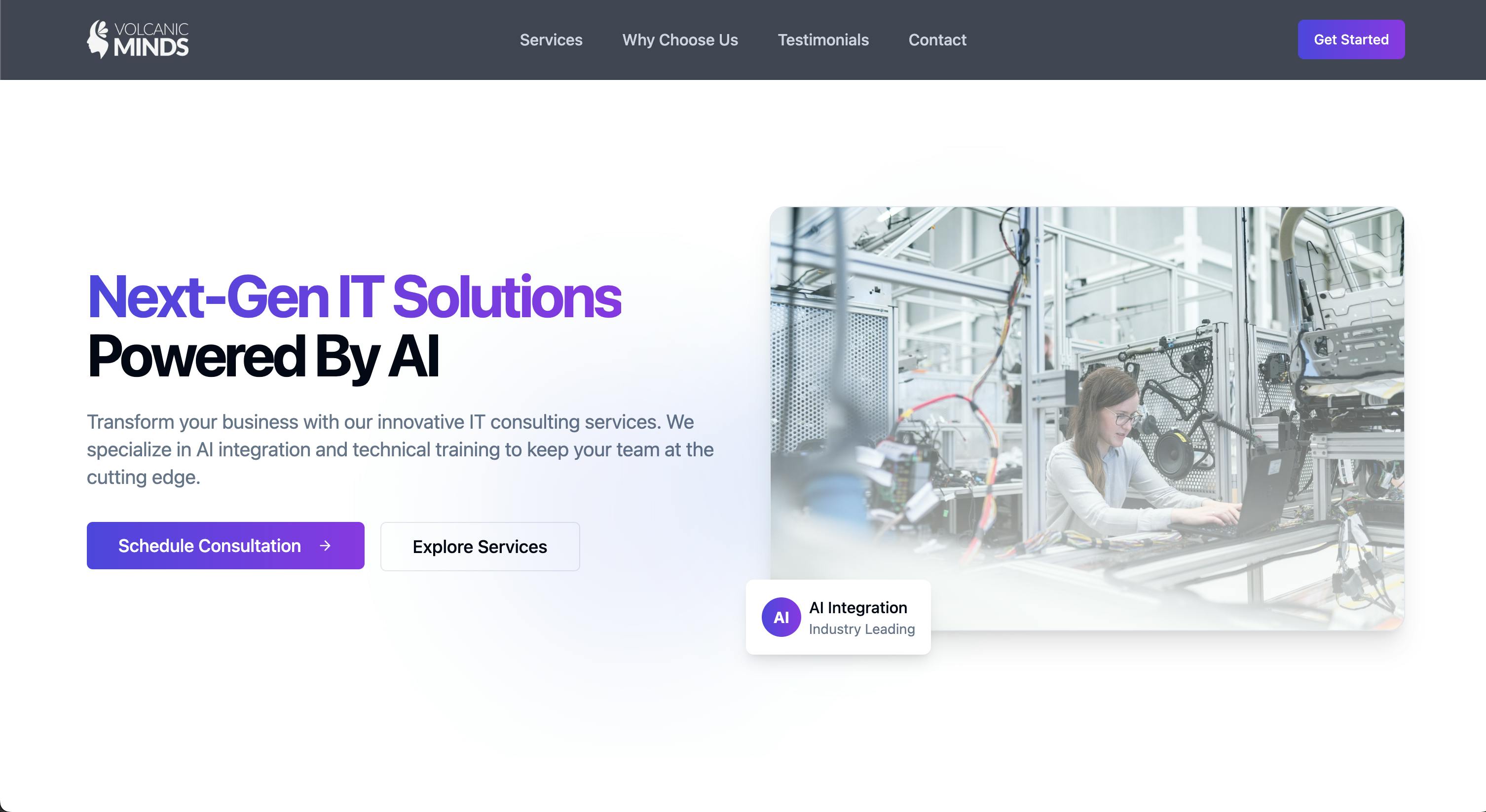
UI generated by Lovable from a prompt, using the Volcanic Minds website as a reference
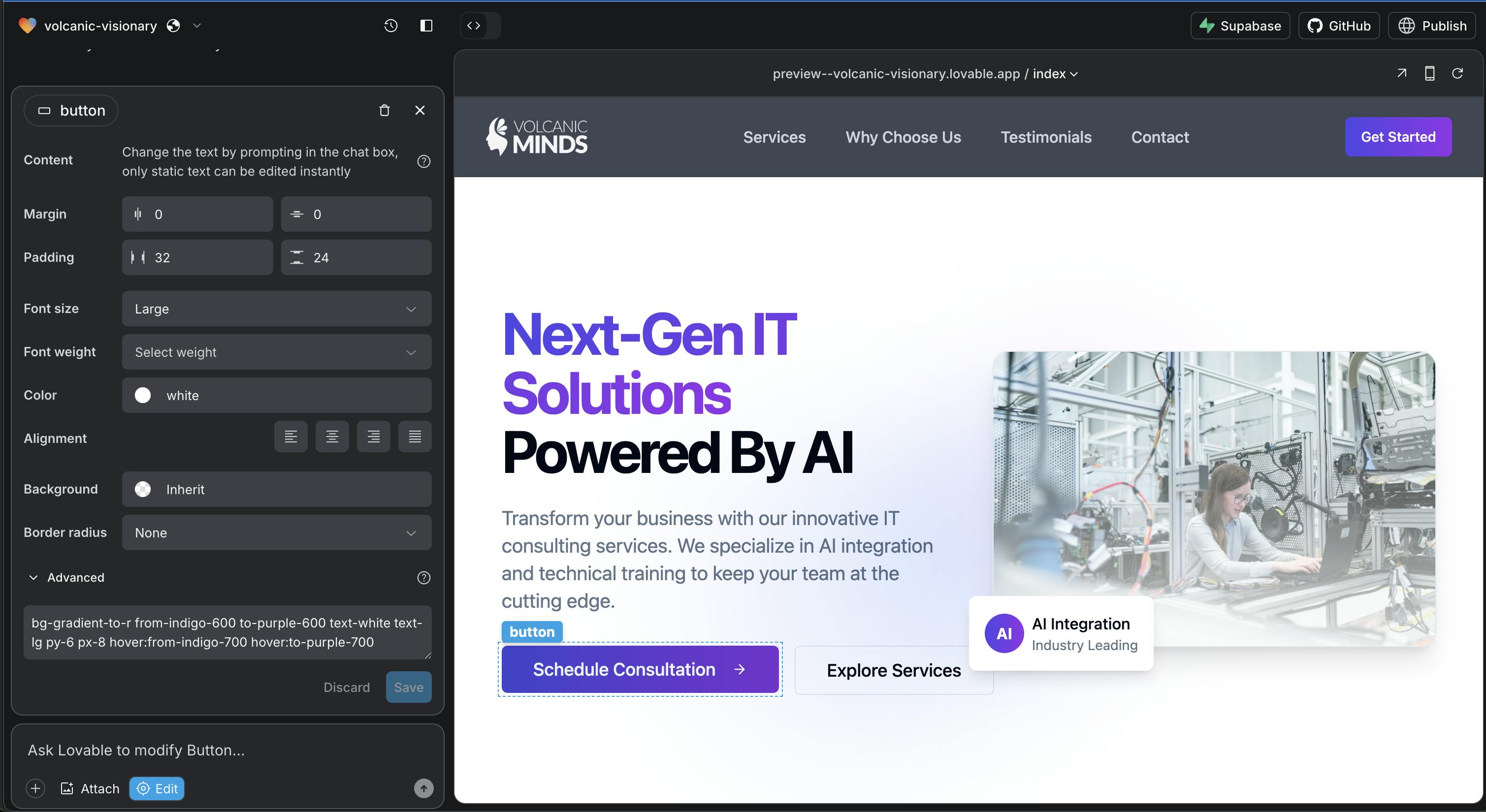
Built-in style editor in Lovable
Advantages
- Extremely fast development
- Designed for non-technical users
- Integration with no-code services and modern APIs
- Simple and intuitive visual editor
Disadvantages
- Limited tech stack (React + Vite)
- Limited code customization
- AI agent is less advanced compared to Replit or Cursor
Conclusion
Vibe coding is no longer a futuristic concept. It’s a real and growing practice, already adopted by thousands of developers across professional, educational, and creative domains. Human–machine interaction is evolving into a more fluid experience, unlocking new possibilities for prototyping, iteration, and software maintenance.
- Cursor or Replit? Both — Cursor can be connected to Replit via SSH, combining local editing with cloud infrastructure.
- Replit or Lovable? It depends on the project. Replit offers more flexibility, while Lovable focuses on maximum speed and simplicity.
Regardless of the tool, the shift is more cultural than technical: embracing vibe coding means rethinking the very way we design and build software.
Why bring these tools into a team
Does vibe coding replace developers?
Is generated code reliable in production?
How does code review change?
Tag: Technology, Development, AI
Publication date: April 23, 2025